Driver Management

Every driver, every document, one tap away

Trucksathi Driver Management gathers each driver’s contact details, licence, Aadhaar, PAN, emergency contact and policy information into a single profile, so nothing is lost in a notebook or a chat thread.

Your driver dashboard at a glance

25

Total Drivers

22

Active Drivers

25

Licence Records

25

Aadhaar Records

The difference

From scattered paperwork to one clean profile

Driver details are only useful when you can find them. Trucksathi keeps them together.

Scattered paperwork

One driver profile

Driver profile

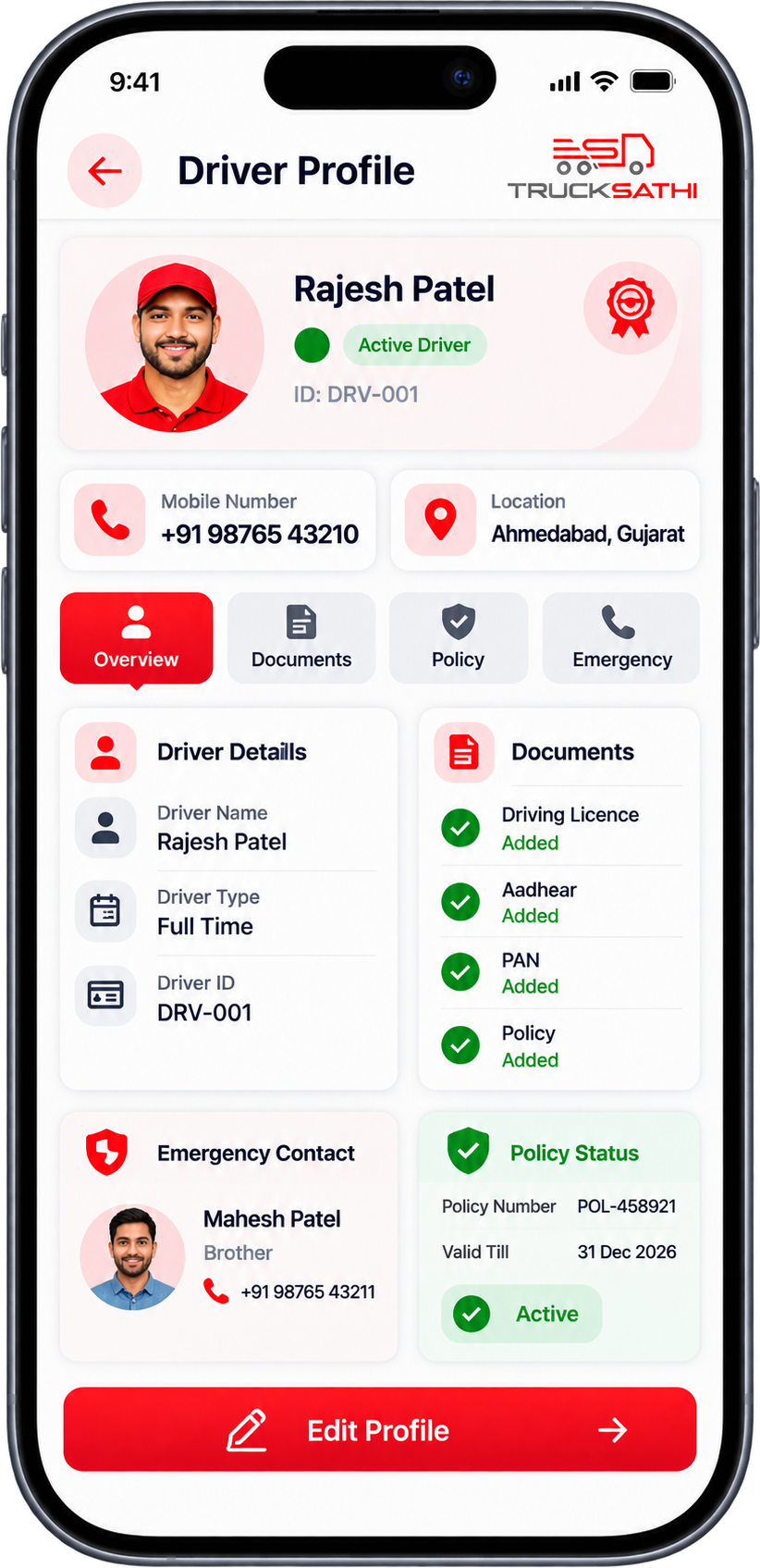
See a driver’s full picture at a glance

Open any driver to see who they are, how to reach them and which documents are on file. Change a detail once and it is current everywhere you look.


Rajesh Patel

● Active Driver

+91 98765 43210

Ahmedabad, Gujarat

Documents

Driving Licence

✓ Valid

Aadhaar

✓ Added

PAN No.

✓ Added

Insu. Policy

✓ Added

Emergency Contact

Mahesh Patel · +91 98765 43211

What every profile holds

Eight details, one place

Profile & contact

Name, mobile number and status for every driver.

Address

Where each driver is based, saved on the profile.

Driving licence

Licence details kept with the driver they belong to.

Aadhaar

Aadhaar information linked to the right profile.

PAN

PAN details stored alongside other documents.

Emergency contact

A named contact and mobile number for emergencies.

Policy details

Policy information and status on the same profile.

Active status

See at a glance which drivers are active.

How it works

Five steps to a complete driver record

Step 01

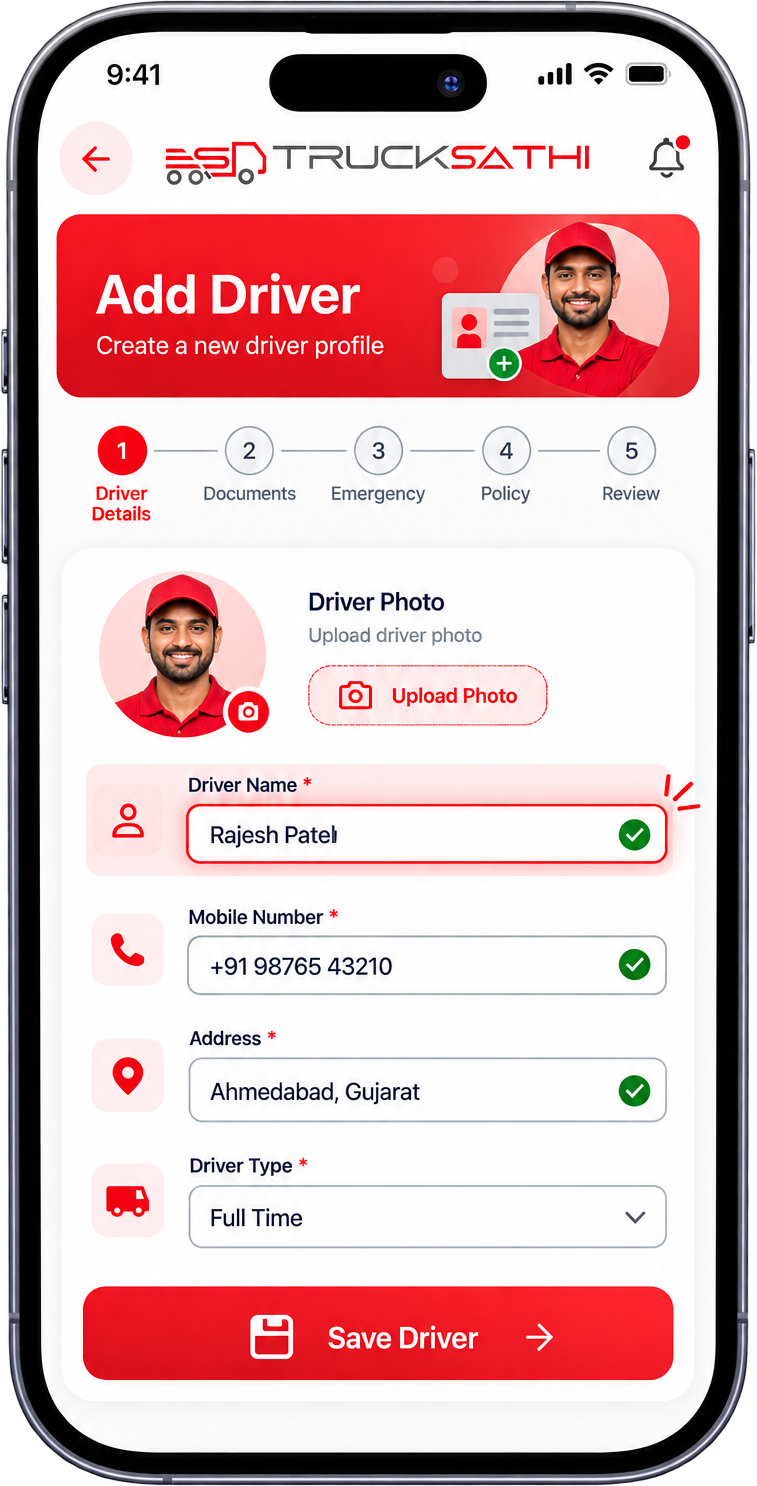
Create the driver

Enter the driver’s name, mobile number and address to start a new profile in the Trucksathi app.

Step 02

Attach documents

Add the driving licence, Aadhaar and PAN details so identity papers stay with the driver.

Step 03

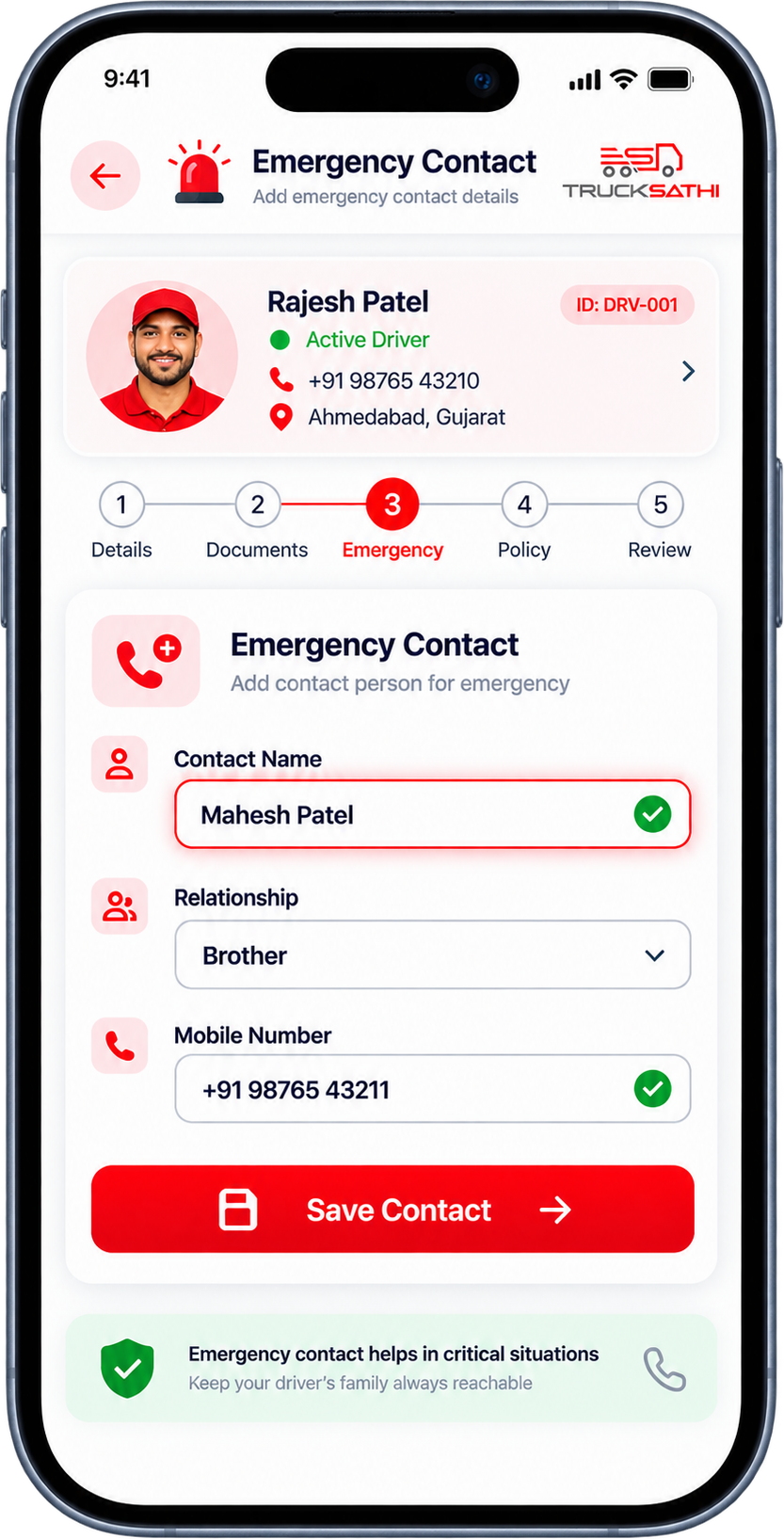
Save an emergency contact

Store a contact name, relationship and mobile number for the moments they are needed.

Step 04

Record policy details

Add the policy number, details and status to the driver’s profile.

Step 05

Review and update

Open the full profile any time and edit details as soon as something changes.

Why Trucksathi

Why transporters keep drivers in Trucksathi

Find details fast

Search a driver and see everything about them without opening a single file.

Documents stay with the driver

Licence, Aadhaar and PAN are attached to the profile they belong to.

Ready for emergencies

Emergency contact details sit on every profile, easy to reach.

Easy to keep current

Edit a number, an address or a document the moment it changes.

Nothing gets lost

No more notebooks or chat threads, just structured records.

A clear view of your team

Your full driver list and key records, together on one dashboard.

Profile structure

Four sections, one complete driver profile

Every driver detail sits in one of four sections, so you always know where to look.

Personal information

Driver Name • Mobile Number • Address

Identity & documents

Driving Licence • Aadhaar • PAN

Emergency information

Contact Name • Relationship • Mobile Number

Policy information

Policy Details • Policy Number • Policy Status

FAQ

Got Questions? We’ve Got Answers.

What can I store about a driver?

Names, mobile numbers, addresses, driving licence, Aadhaar and PAN details, emergency contacts and policy information, all on one profile.

Yes. Trucksathi lets you keep every driver in one central list, each with their own complete profile.

Yes. Truck owners can keep driver information together with their truck and transport details in the same app.

Yes. Driver management works through the Trucksathi mobile app, so details are available wherever you are.

Open the profile and edit it. The updated information is saved against that driver straight away.