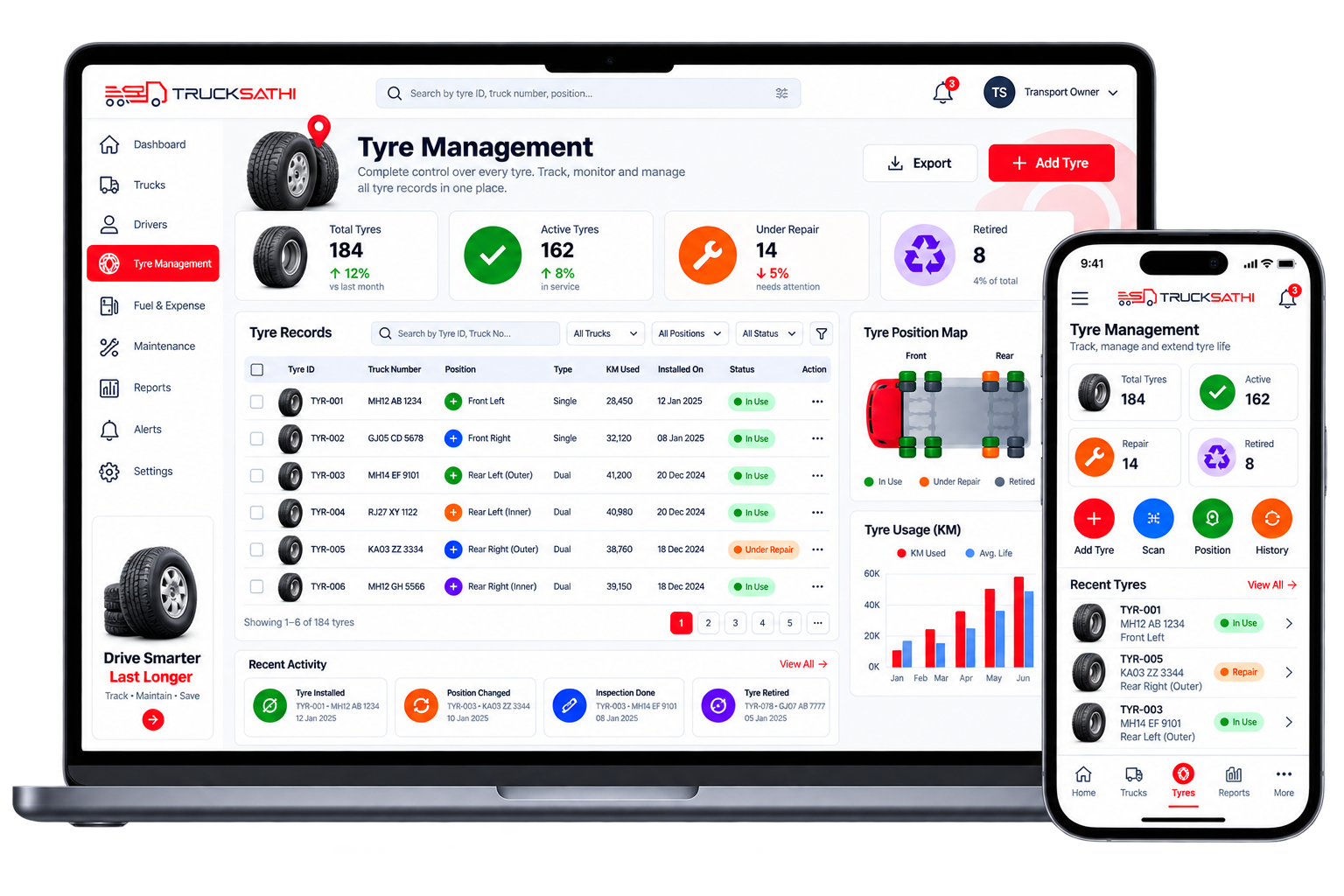
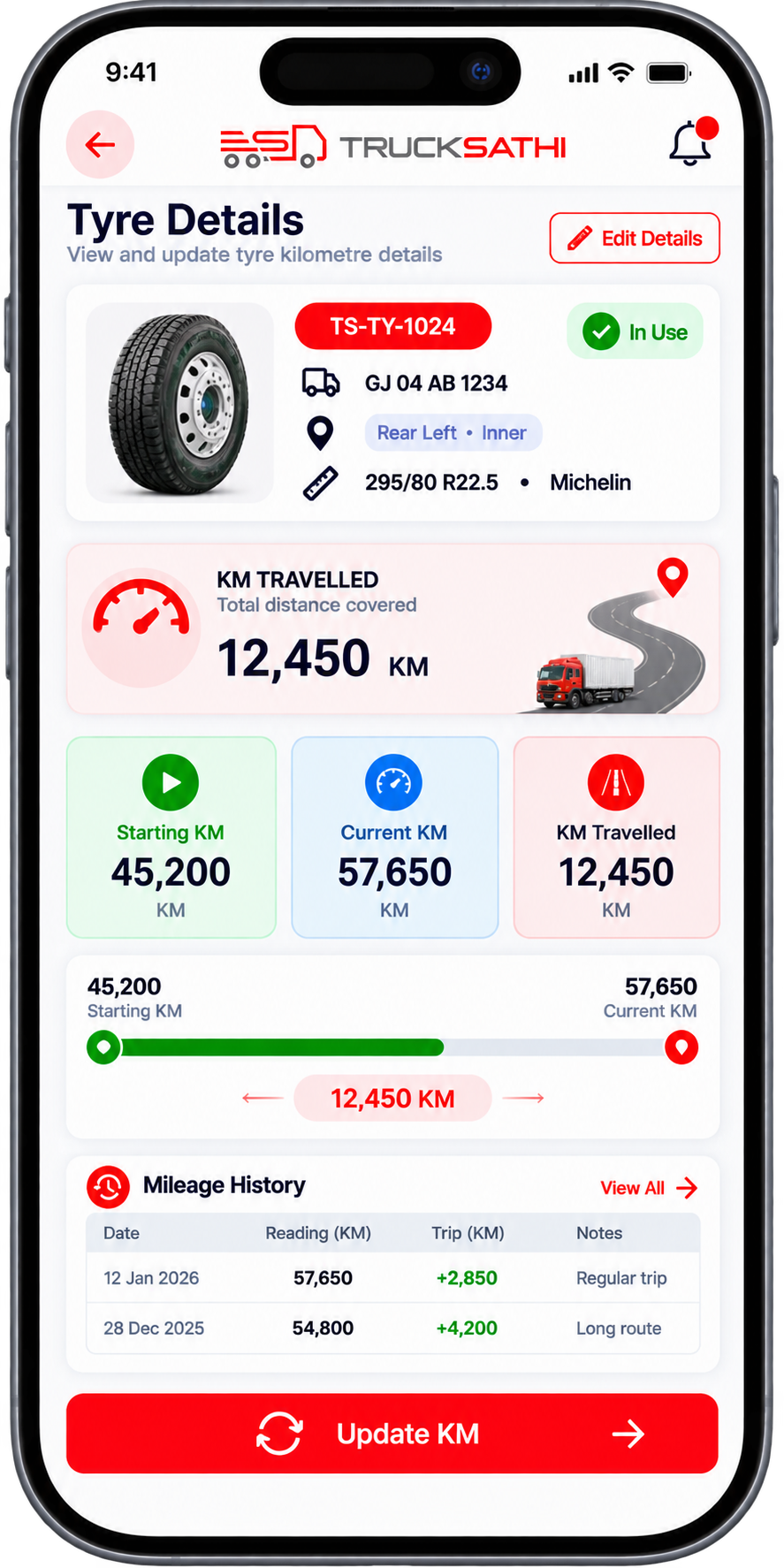
Trucksathi Tyre Management helps you record and manage tyre details for every truck in your fleet. Add tyre IDs, assign tyres to specific trucks and positions, track kilometres used, and manage both single and dual tyre setups from one easy-to-use platform.
What is tyre management?
Tyre Management in truck saathi app is a simple way to maintain and monitor tyre information for every truck in your fleet.
Instead of keeping tyre details separately, Trucksaathi software lets you maintain tyre records digitally and connect them with the relevant truck.
You can record each tyre’s:
Tyre ID
Brand/model
Size
Position
Installation date
Kilometres used
Truck number
Usage history
This gives your transport business a clear view of every tyre and its kilometres travelled.
Manage tyre management with Trucksathi
Tyres are an important part of every truck, and each tyre has its own identity, position, and usage record.
Tyre Details
Store important information about every tyre and keep individual tyre records.
Tyre ID
Give every tyre a unique ID so you can easily identify it whenever you need its details.
Truck Assignment
Connect each tyre with the truck where it is currently being used.
Kilometres Used
Track the kilometres travelled by each individual tyre.
Tyre Position
Record exactly where the tyre is fitted, such as front, rear, left, right, inner, or outer.
Single & Dual Tyres
Manage different tyre arrangements according to your truck configuration.
Keep Tyre Records Updated
Your Tyre Information, Always Organized
As your trucks continue to travel, tyre information can be updated in the trucksaathi app.
You can maintain:
Tyre details
Tyre ID
Truck assignment
Tyre position
Starting KM
Current KM
Kilometres travelled
Tyre history
So, Trucksathi transport management software gives you one place to maintain your tyre information.
HOW IT WORKS
Manage your tyres in 4 simple steps
Add tyres, assign them to trucks, select their positions, and track kilometres — all in one simple trucksathi workflow.
01
Add Your Tyre
02
Assign the Tyre
03
Select the Position
04
Track the Kilometres
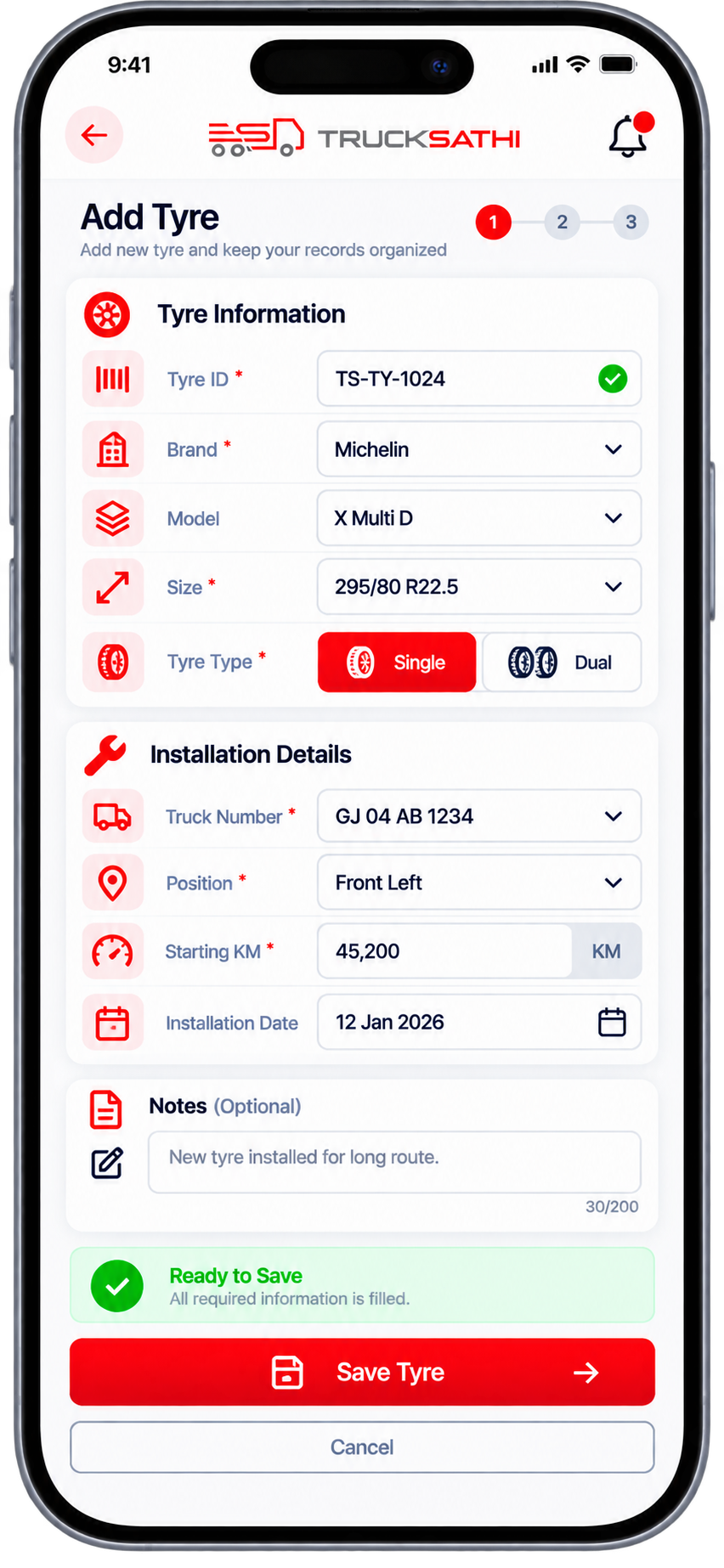
01. Add Your Tyre
Enter the tyre information into the trucksathi app.
Tyre ID → Tyre Details → Starting KM
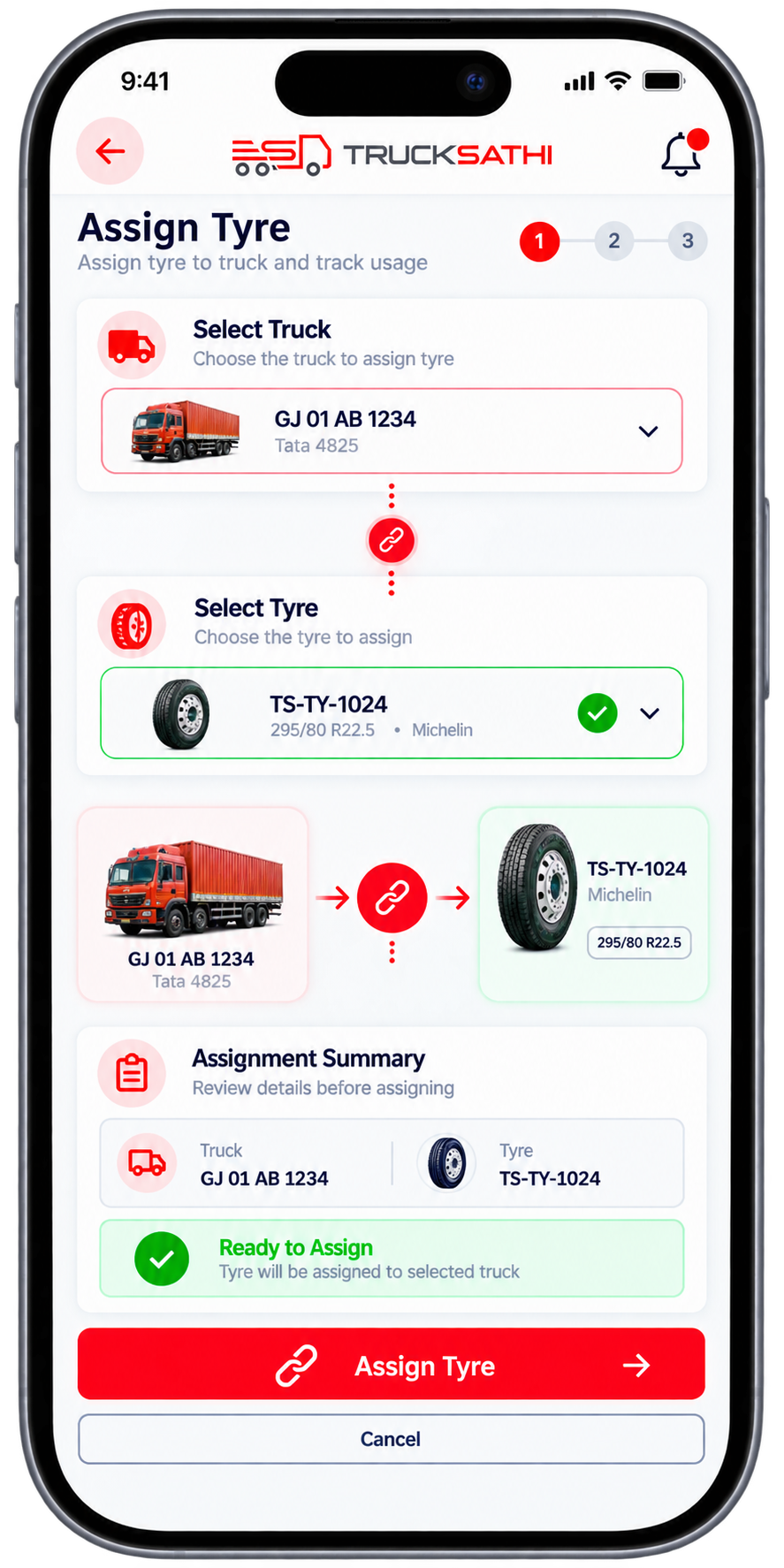
02. Assign the Tyre
Select the truck where the tyre is being used.
Truck → Tyre → Assignment
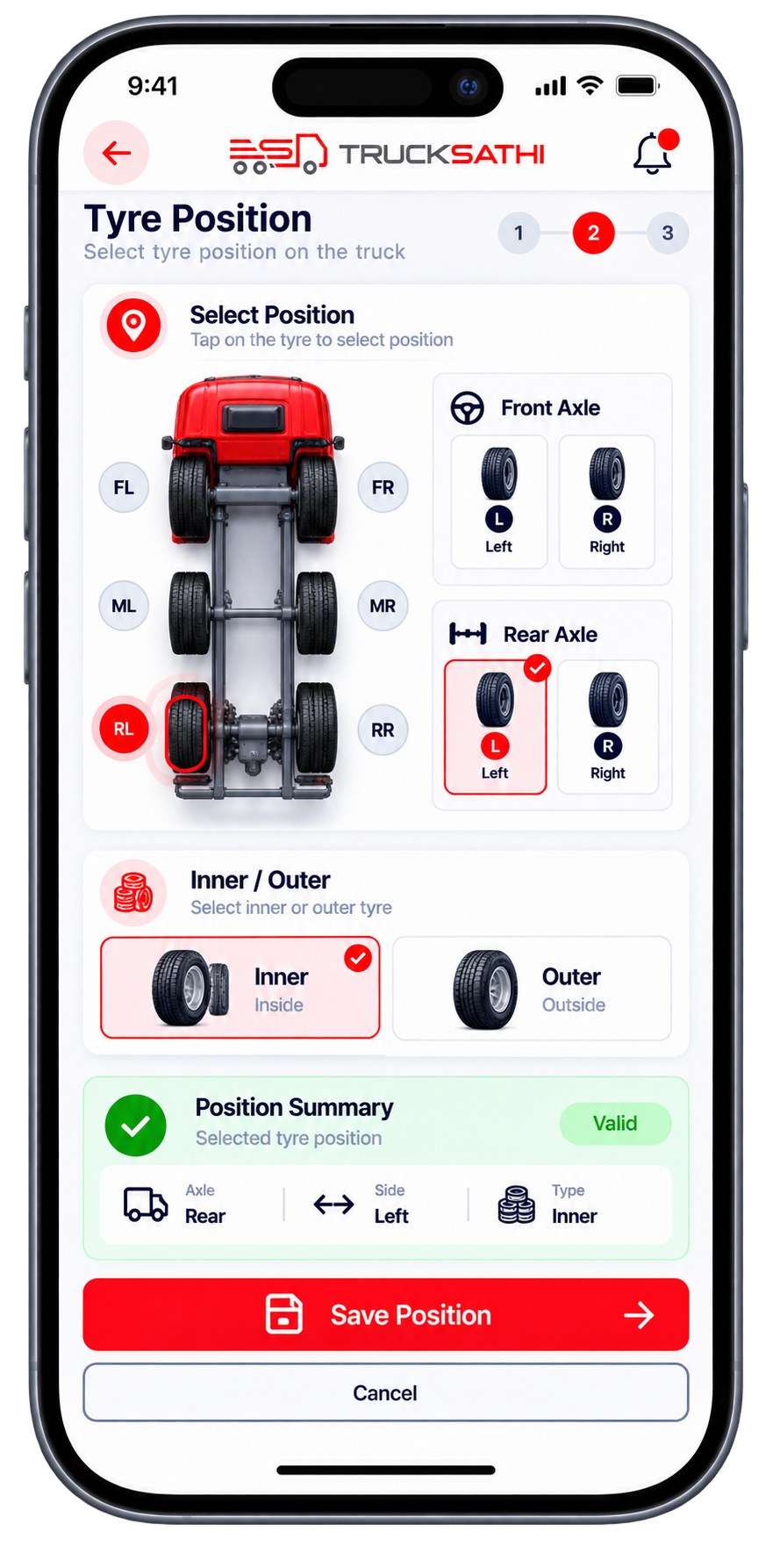
03. Select the Position
Choose the appropriate tyre position.
Front / Rear → Left / Right → Inner / Outer
04. Track the Kilometres
Update the current kilometre reading and maintain the tyre’s kilometre record.
Starting KM → Current KM → KM Travelled
Everything you need to track, organize & manage your tyres
Trucksathi brings tyre details, tyre IDs, truck assignments, positions, and kilometre records together in one simple workspace.
Everything in One Place
Keep all your tyre information together.
Individual Tyre Tracking
Give every tyre its own record.
Easy Kilometre Tracking
Track kilometres for every tyre.
Single & Dual Tyres
Manage different tyre configurations.
Truck-Wise Records
Connect tyres with individual trucks.
Simple for Your Team
Keep tyre information clear and accessible.
Your tyres have a story where Trucksathi keeps the record.
Every tyre travels with your truck, and every kilometre adds to its usage history. Trucksathi Tyre Management helps transporters and truck owners keep this information organized—from tyre ID and truck assignment to position and kilometres travelled.
With Trucksathi transport management software, your tyre records stay connected, clear, and easy to manage from one platform.
Got Questions?
We’ve Got Answers.
Can I create a unique tyre ID in Trucksathi?
Yes, Trucksathi software allows you to maintain a unique ID for each tyre so individual tyres can be easily identified.
Can Trucksathi track kilometres for each tyre?
Yes, Trucksathi transport management software can maintain the starting and current kilometre records to track kilometres used by each tyre.
Does Trucksathi support single & dual tyres?
Yes, Trucksathi Tyre Management can organize records for single-tyre positions and dual-tyre positions, including separate tyre IDs and kilometre records.
Can I see how many kilometres one tyre has travelled?
Yes, Trucksathi app helps you view the kilometre usage recorded for an individual tyre.