
FIND THE
RIGHT TRUCK.
BOOK IT IN MINUTES
Check truck availability, choose the right vehicle, and manage bookings easily—all from one place.
Manage Bookings and Truck Availability in One Place
Trucksathi makes it simple to manage your transport bookings and find the right truck for every requirement.
Enter your booking details, check available trucks, and assign a suitable vehicle based on the route, truck type, load, and availability.
Everything stays organized in one system, helping you manage your daily bookings smoothly.
HOW IT WORKS
From Booking to Truck Assignment — All in One Flow
Book a Truck in 4 Simple Steps
From entering booking details to assigning the right truck, Trucksathi keeps the entire booking process simple and organized.
01 — Add Booking Details
Start With Your Booking
Create a new booking by entering the important details of your transportation requirement.
- Pickup location
- Drop location
- Customer details
- Load/weight details
- Required truck type
- Booking date
Enter your booking details in one place
03 — Select Your Truck
Choose the Right Truck
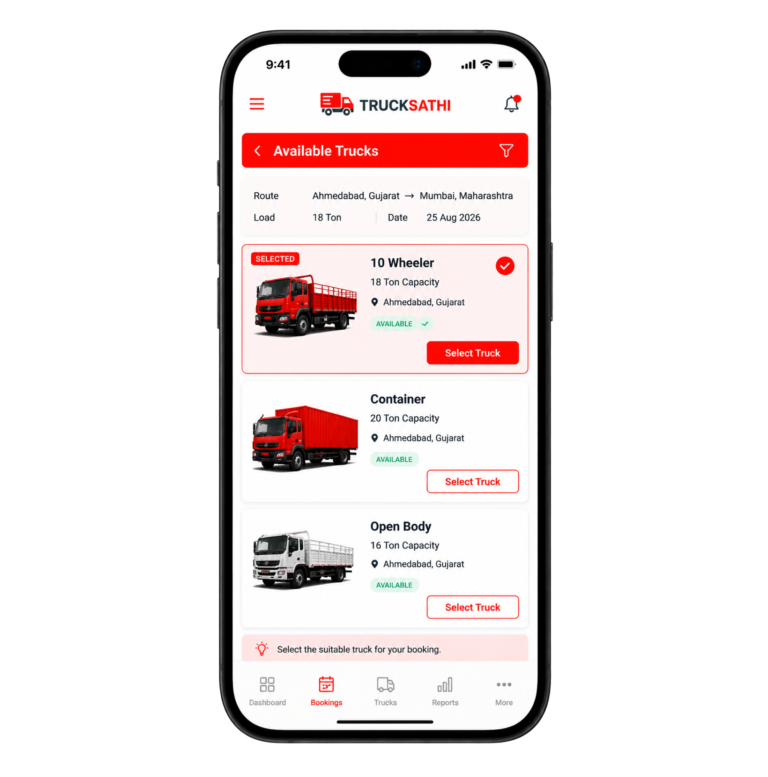
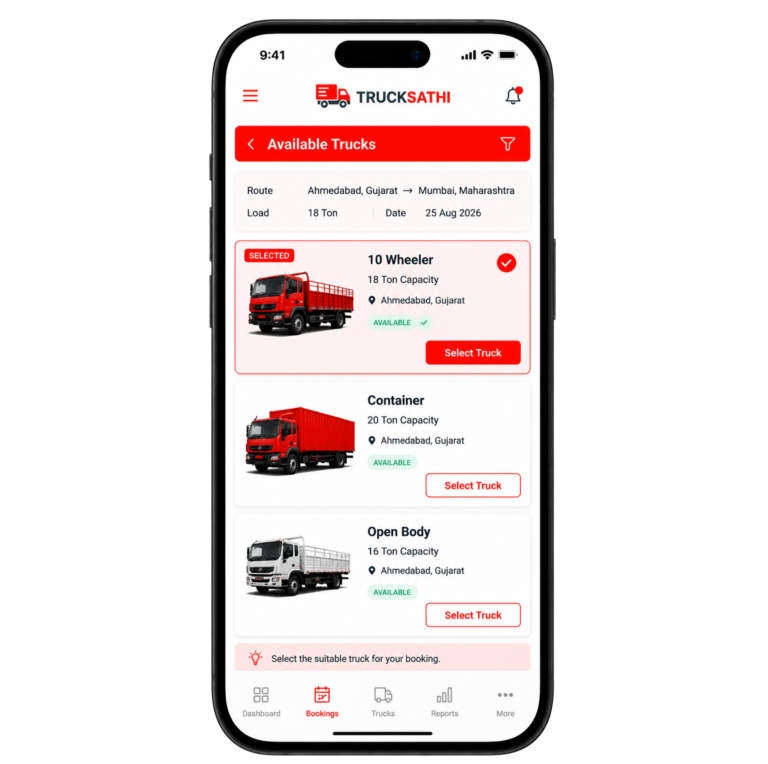
Review the available options and select the truck that best matches the booking requirements.
The selection can be based on:
- Truck type
- Load capacity
- Route
- Truck availability
- Booking requirements
Select the truck that fits your booking and continue to assignment.
02 — Check Available Trucks
See Trucks Available for Your Booking
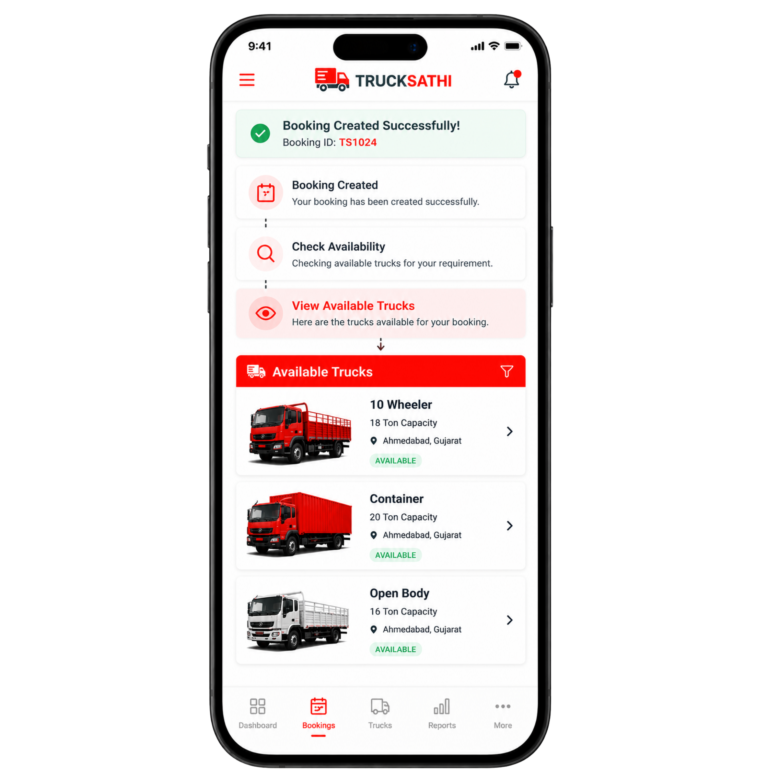
Once the booking details are entered, check the trucks available for the requirement.
You can view different truck options along with important details such as truck type, capacity, and location.
View available trucks that match your booking requirements and choose from the suitable vehicles ready for assignment.
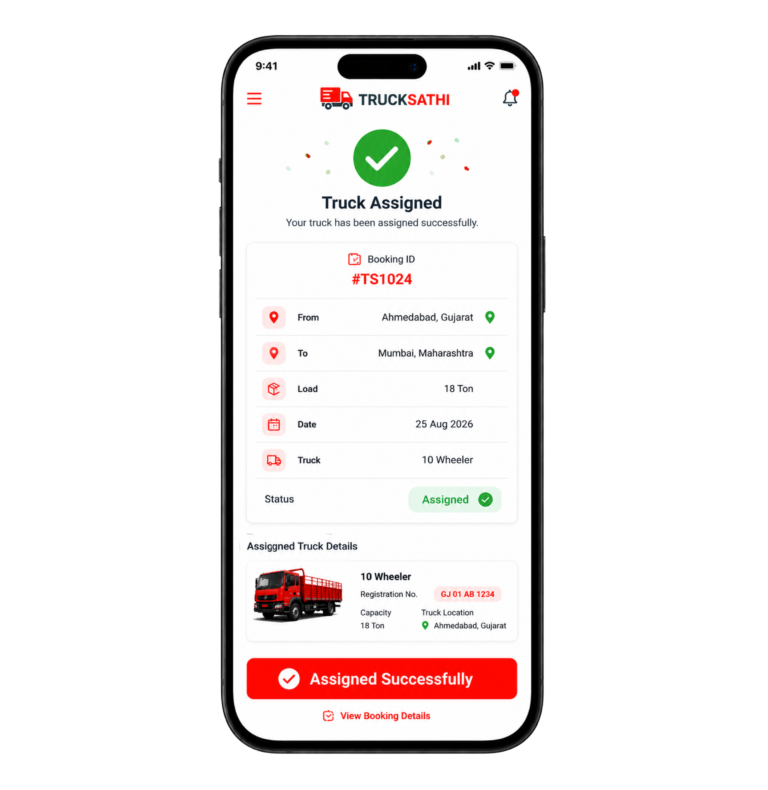
04 — Assign & Confirm
Assign the Truck to Your Booking
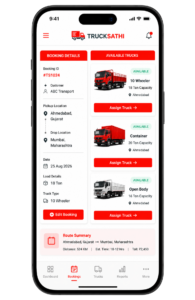
After selecting the suitable truck, assign it directly to the booking.
The booking now contains the important information about the customer, route, load, date, and assigned vehicle.
Assign the selected truck to your booking and keep the complete booking information organized and ready for transportation.
Manage your complete truck booking process from one simple flow.
With Trucksathi, you can enter your booking requirements, view suitable available trucks, select the right vehicle, and assign it to the booking. Every important detail stays connected, making it easy to manage your transportation bookings from one place.
Feature Highlights
Everything You Need to Manage Your Truck Bookings
Check availability, choose the right truck, assign it to your booking, and keep all your booking information organized — all from one place with Trucksathi.
🚚 Check Truck Availability
View available trucks in one place and quickly identify vehicles that match your transportation requirements.
Read More
🚚 Check Truck Availability
View available trucks in one place and quickly identify vehicles that match your transportation requirements.
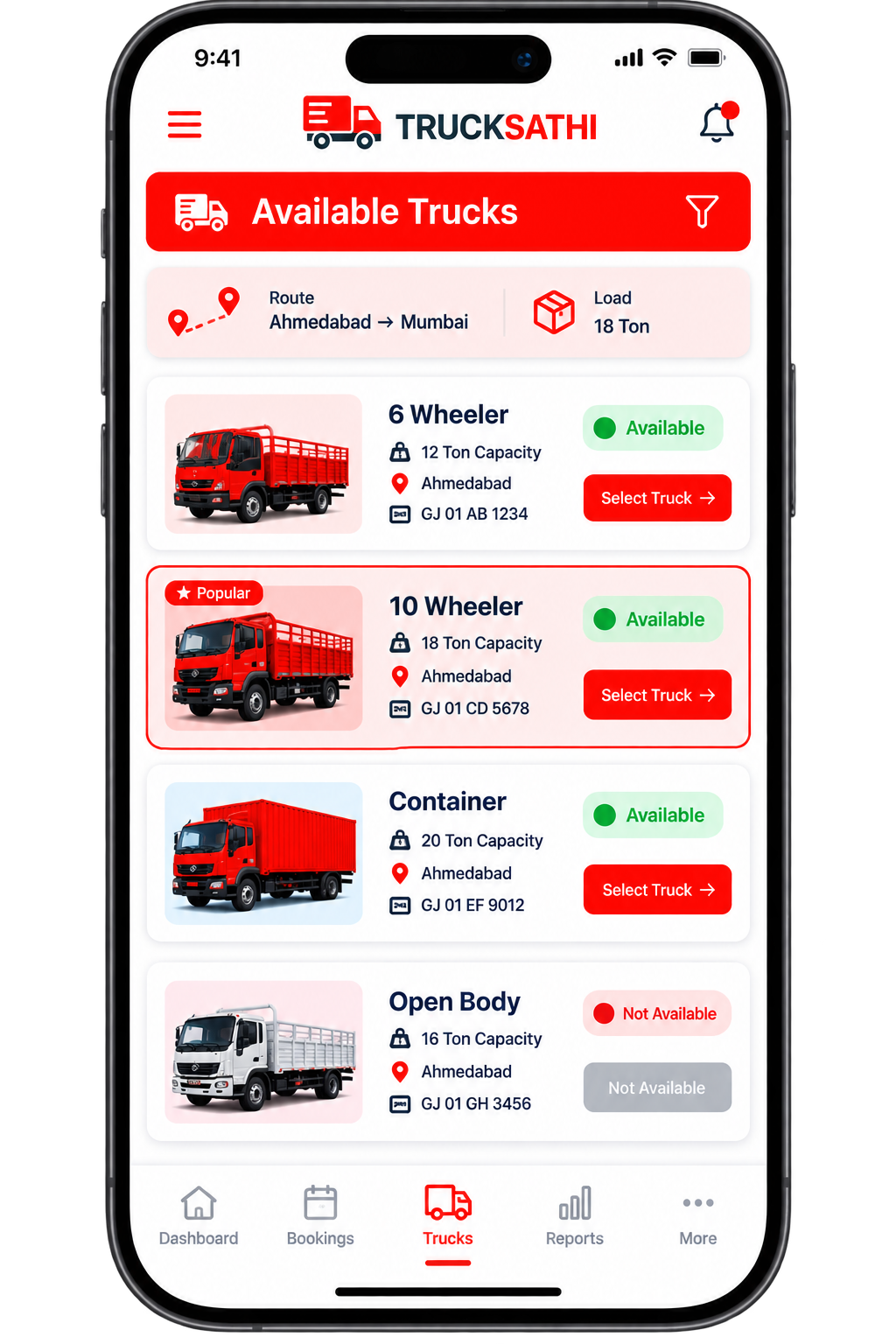
Know Which Trucks Are Available for Your Booking
Before assigning a truck, easily view the vehicles that are available for your transportation requirement.
Trucksathi gives you a clear view of available trucks, helping you identify suitable vehicles based on truck type, load capacity, location, and booking requirements.
Instead of searching through different records, you can view the available options together and select the vehicle that fits your booking.
What you can see :
- Truck type
- Load capacity
- Truck location
- Availability status
- Vehicle details
- Booking/assignment option
📋 Create Booking Easily
Create your booking by adding customer, route, load, truck type, and date details in one easy-to-use form.
Read More
📋 Create Booking Easily
Create your booking by adding customer, route, load, truck type, and date details in one easy-to-use form.
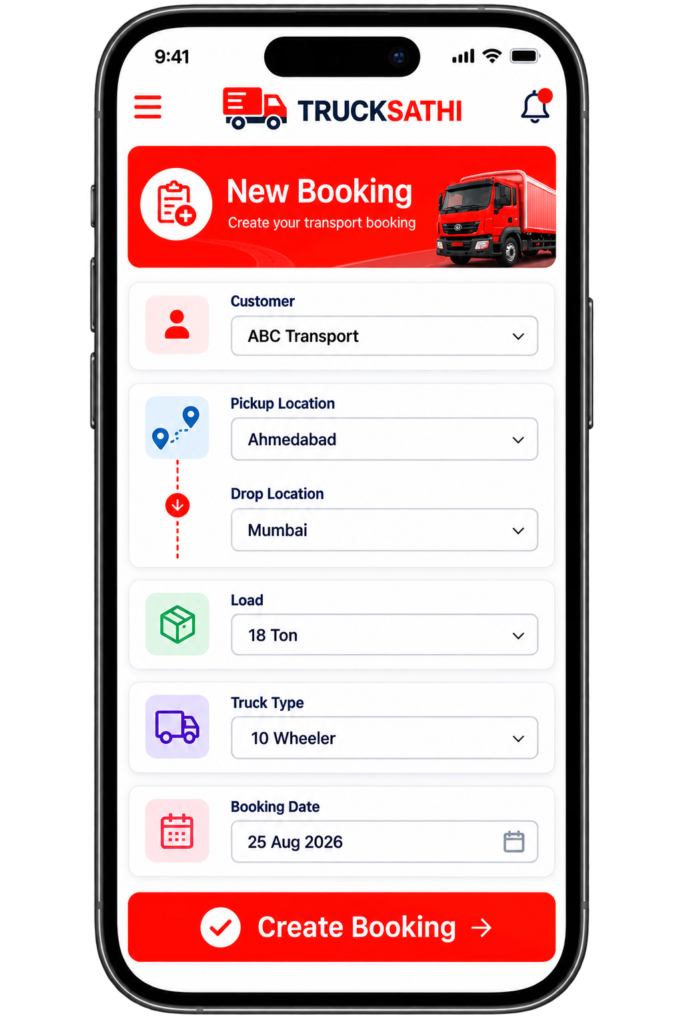
Add All Your Booking Details in One Simple Process
Create a new booking by entering the important information required for the transportation.
Trucksathi keeps the booking process organized by bringingcustomer, route, load, truck type, and date details together in one place.
You can create the booking first and then check the available trucks that match the requirement.
Add details such as :
-
Customer :
Select or enter the customer associated with the booking. -
Pickup Location :
Enter where the goods need to be picked up. -
Drop Location :
Enter the destination. -
Load :
Enter the required load or weight. -
Truck Type :
Select the required vehicle type. -
Booking Date :
Select the date for the transportation.
🔍 Find the Right Truck
View suitable available trucks and select the vehicle that best matches your route, load, and transportation requirements.
Read More
🔍 Find the Right Truck
View suitable available trucks and select the vehicle that best matches your route, load, and transportation requirements.
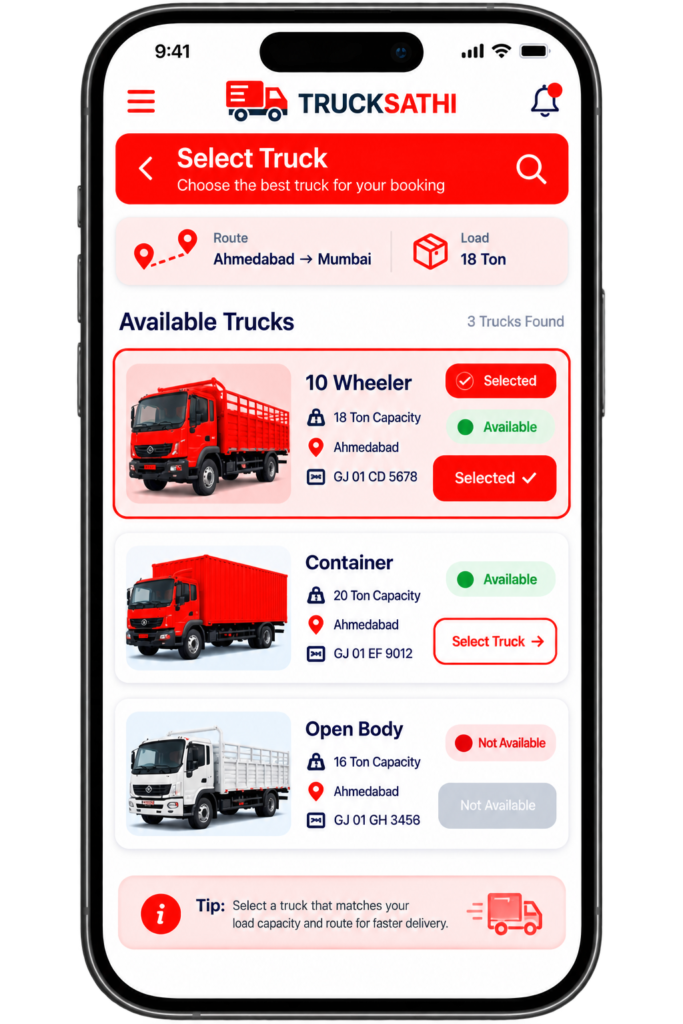
Choose a Truck That Matches Your Requirement
Once your booking is created, view suitable available vehicles and choose the truck that fits your transportation requirement.
You can compare available truck options based on important details such astruck type, capacity, location, route, and load requirement.
This makes it easier to select the appropriate vehicle for each booking.
- View Available Trucks
- Check Load Capacity
- Check Truck Location
- Match the Route
- Choose Truck Type
- Compare Options Easily
- Select the Suitable Truck
📍 Assign Truck to Booking
Select the suitable vehicle and assign it directly to the booking, keeping your truck and booking information connected in one place.
Read More
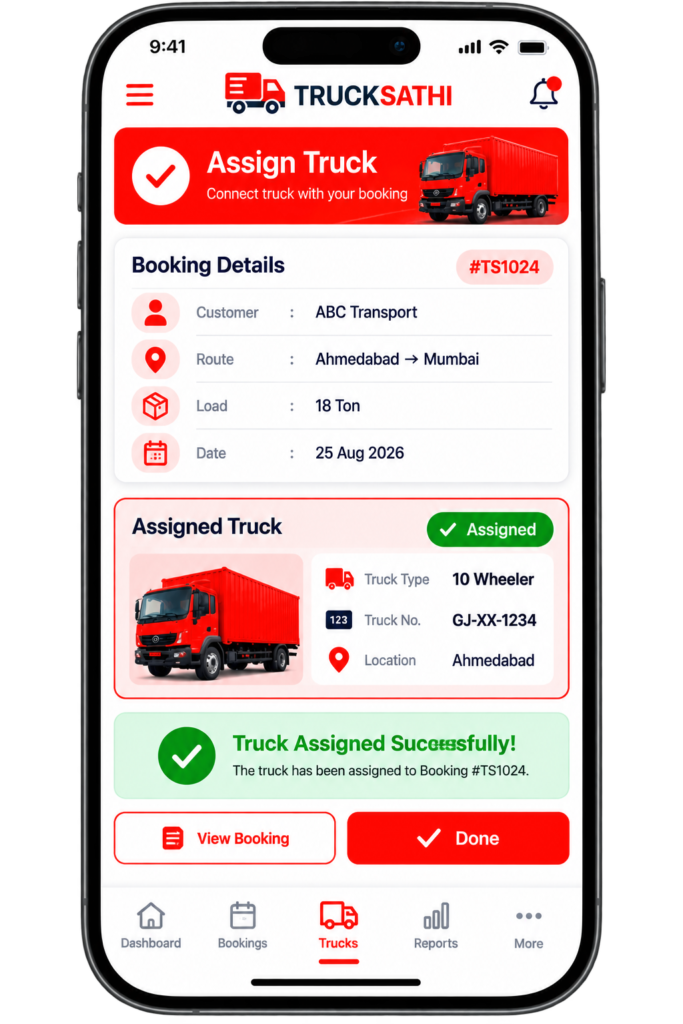
📍 Assign Truck to Booking
Select the suitable vehicle and assign it directly to the booking, keeping your truck and booking information connected in one place.
Assign the Selected Truck Directly to Your Booking
After choosing the suitable vehicle, assign it directly to the booking.
The selected truck becomes connected with the booking, keeping the important information together — including the customer, route, load, date, and assigned vehicle.
This makes it easier to select the appropriate vehicle for each booking.
- Select the Chosen Truck
- Connect Truck to Booking
- Keep Customer Details
- Maintain Route Details
- Keep Load Information
- Track Booking Date
- Record Truck Details
- Confirm Assignment
📅 Keep Bookings Organized
Keep your bookings, routes, assigned trucks, and important transportation details organized and easy to manage from one place.
Read More
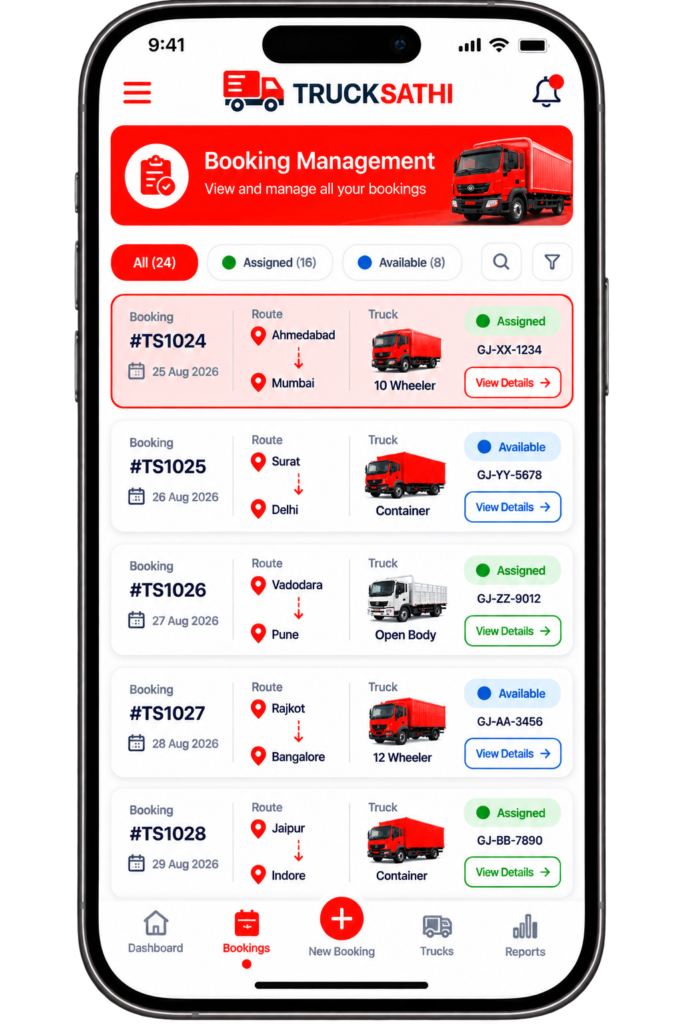
📅 Keep Bookings Organized
Keep your bookings, routes, assigned trucks, and important transportation details organized and easy to manage from one place.
Manage Bookings and Truck Assignments in One Place
Once bookings are created and trucks are assigned, keep all your important booking information organized and easy to view.
Trucksathi lets you see important information such as:
- Booking number
- Customer
- Pickup location
- Drop location
- Assigned truck
- Booking date
- Load
- Booking status
This gives you a clear overview of your bookings and assigned vehicles.
Got Questions? We’ve Got Answers.
How do I create a new truck booking?
You can create a booking by entering important details such as the customer, pickup location, drop location, load, required truck type, and booking date.
Can I check which trucks are currently available?
Yes. You can view available trucks along with relevant details such as truck type, capacity, location, and availability status.
What truck types can I manage in Trucksathi?
You can manage different types of vehicles according to your fleet, such as 6-wheelers, 10-wheelers, containers, open-body trucks, and other truck types supported by your system.
Can I manage multiple bookings?
Yes. You can keep multiple bookings organized and view important information such as booking number, route, assigned truck, and status.
Is it possible to manage truck availability and bookings from one place?
Yes. Trucksathi brings booking and truck availability information together, making it easier to manage your transportation requirements from one system.
